Caernarfon Camera Club - Click for the Home Page

CLWB CAMERA    CAERNARFON    CAMERA CLUB

HOW TO RESIZE YOUR IMAGES

The guidance set out below refers to Lightroom, Photoshop & Photoshop Elements. A similar procedure applies to other imaging software.
The sizes given relate to the image size required for Club competitions.

Open the image (and edit it as required and save as whatever file type you choose [tiff, jpeg etc.] - you may have already done this on a previous occasion).

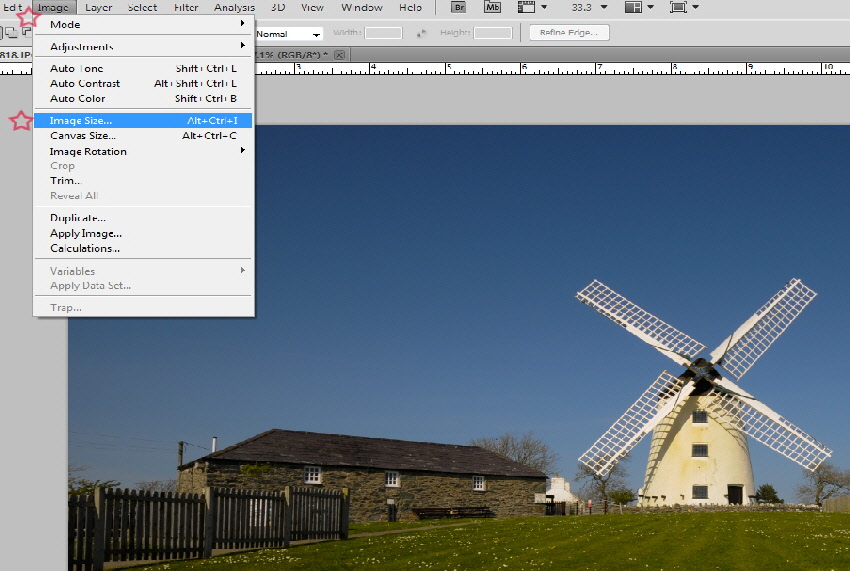
  • Then, from the toolbar at the top of the screen select IMAGE  then from the drop-down menu select IMAGE SIZE (highlighted in Blue)
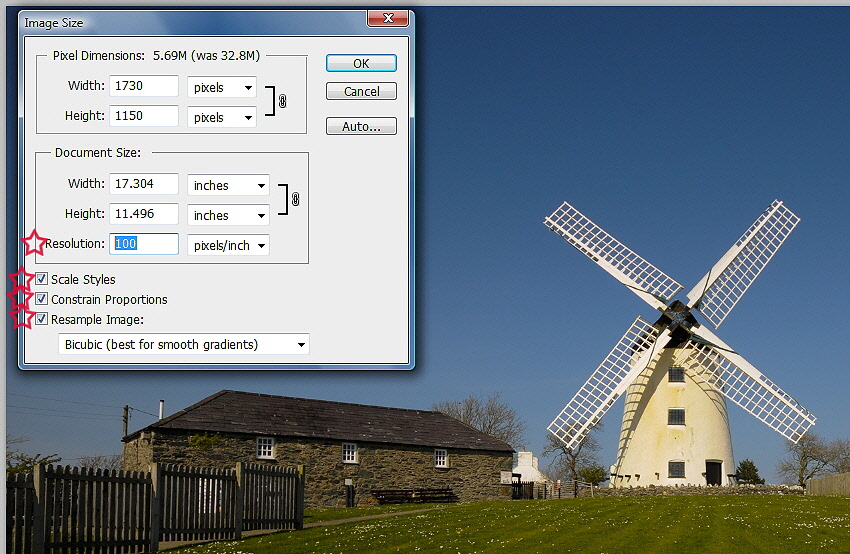
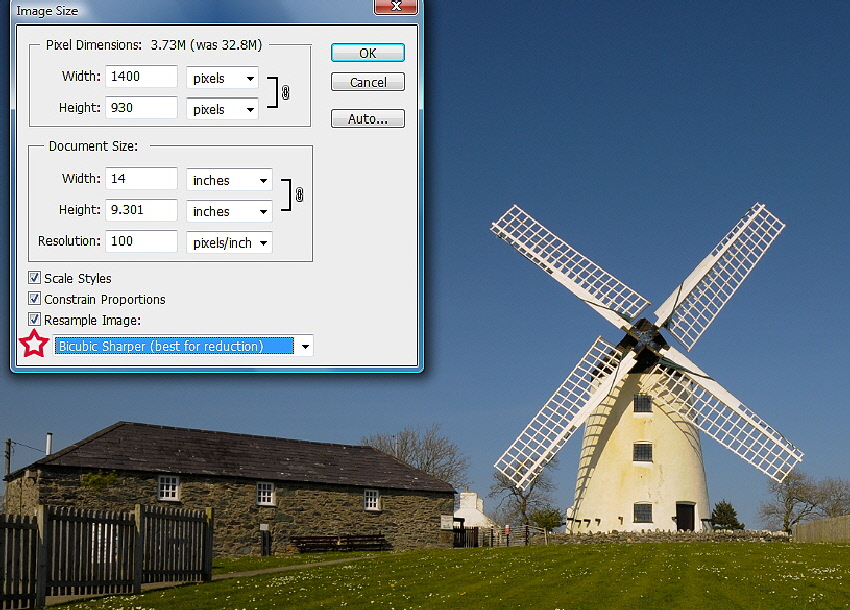
  • Ensure that the THREE boxes at the bottom of the Image Size box are ALL ticked.
  • The FIRST thing to change is the RESOLUTION (it’s important that this is the FIRST thing you change as it can effect the quality and overall size if you do it at the end).
    Change this to NOT LESS than 75 (this is not essential but should not really be more than 150. A resolution of 100 as been selected in this instance).


    (For information, though not relevant in this instance, 300 is the optimum size for printing images).

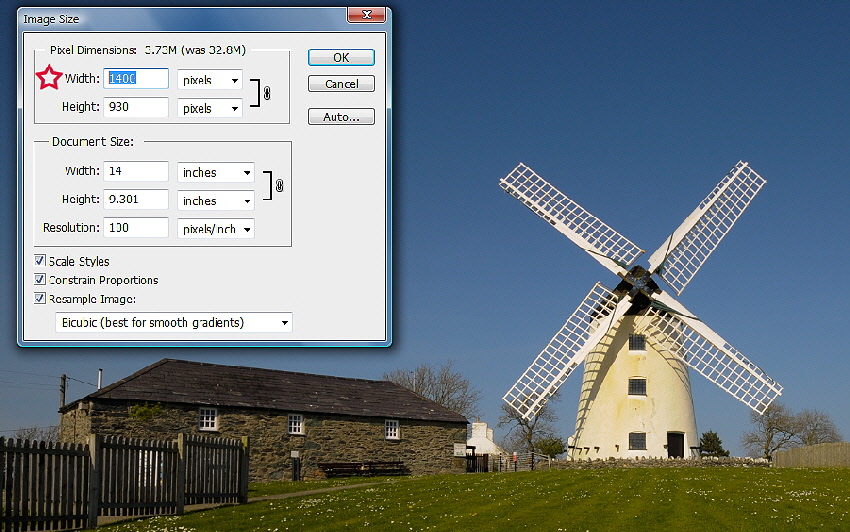
FOR LANDSCAPE IMAGES:

  • Go to WIDTH (highlighted in blue). This must be set to NO MORE  than 1400 - the height will change automatically in proportion for you.


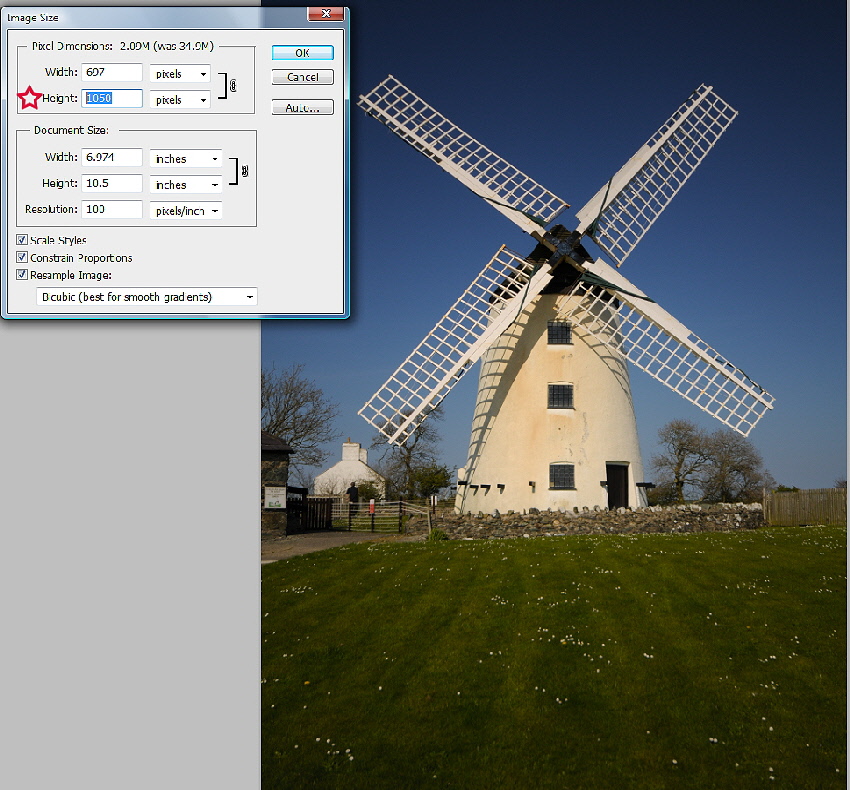
FOR PORTRAIT IMAGES:

  • Go to HEIGHT (highlighted in blue). This must be set to NO MORE than 1050 - the width will change automatically in proportion for you.


  • Finally, at the bottom of the Image Size box, open the drop-down selector and choose BICUBIC SHARPER - BEST FOR REDUCTION.

 Click OK


SAVING & RENAMING:

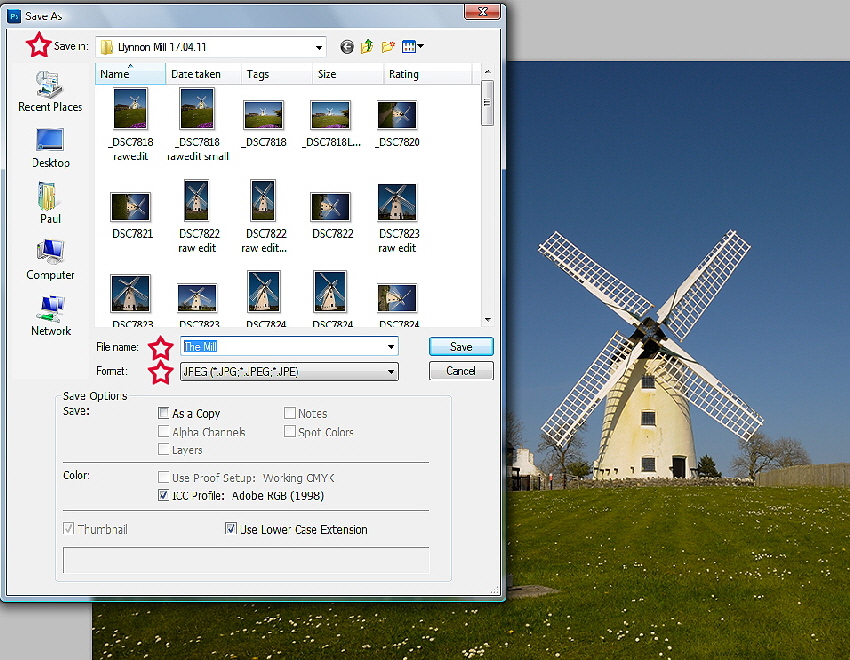
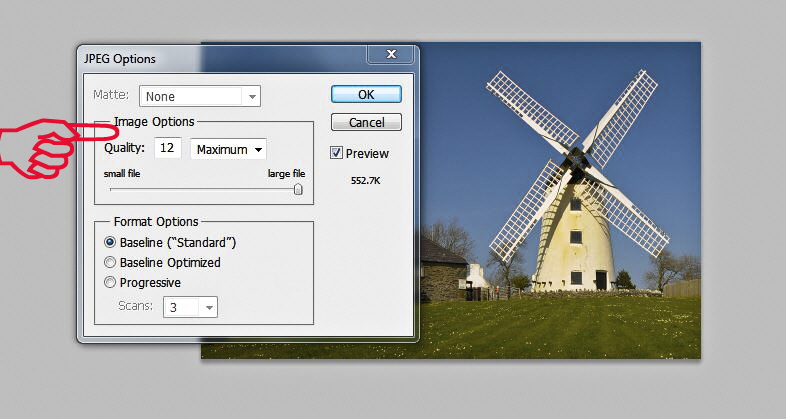
Your image has been resized and all that is left to do now is to select SAVE AS from the FILE menu at the top of the screen. You will also need to choose an alternative name for the image. Remember, select the  SAVE AS option (and NOT just SAVE it)! This is VERY important so as to avoid losing your original image!

Therefore, at the same time as carrying out the  SAVE AS process, you can choose a TITLE for your image for competition purposes.
And please remember, for competition purposes, neither your personal name nor your Club membership number should be included anywhere in the title of your image.

Resize1a
Resize2
Resize3
Resize4
Resize5
Resize6

Ein Grwp Flickr  -  Our Flickr Group

Or Click Here Visit Our Flickr Slide Show